Parts list by hand, in a notebook
Every part, with its cut size
The engine generates every part with its finished and cut size, edge banding, drilling and hardware. Without forgetting the plinth or the drawer bottom.
MobilePlan turns measurements into a complete custom furniture project: 3D, parts list, cutting plan, CNC files and a quote with a proposal for your client. And it lets you sell your designs in the Showroom, in 3D, and get paid for every sale.
Ready for the shop and for your software
Why MobilePlan
Parts list by hand, in a notebook
The engine generates every part with its finished and cut size, edge banding, drilling and hardware. Without forgetting the plinth or the drawer bottom.
Leftover sheet leaning in the corner
Parts nested per sheet, following the grain, for CNC or panel saw. Offcuts from one piece are used for another in the same project.
Quotes that take days
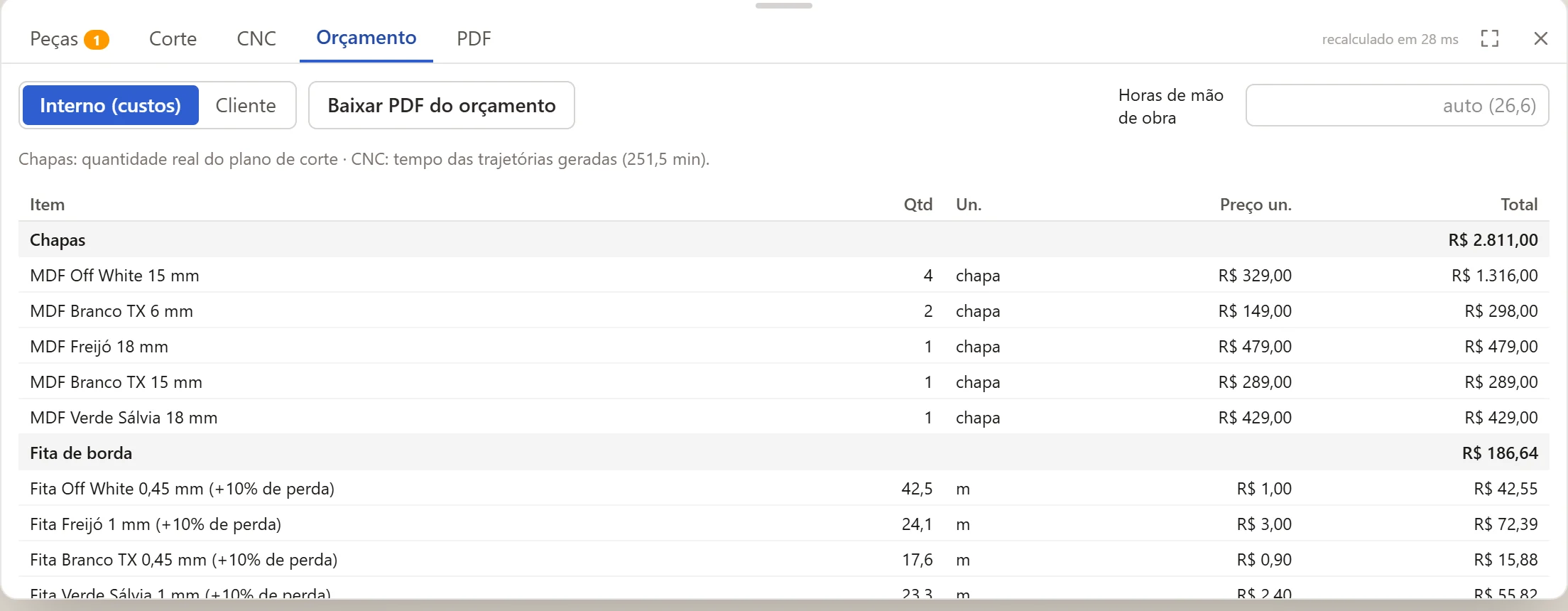
Sheets from the real cutting plan, edge banding, hardware, labor and machine time. The proposal goes by link and the client accepts on their phone.
Create from scratch
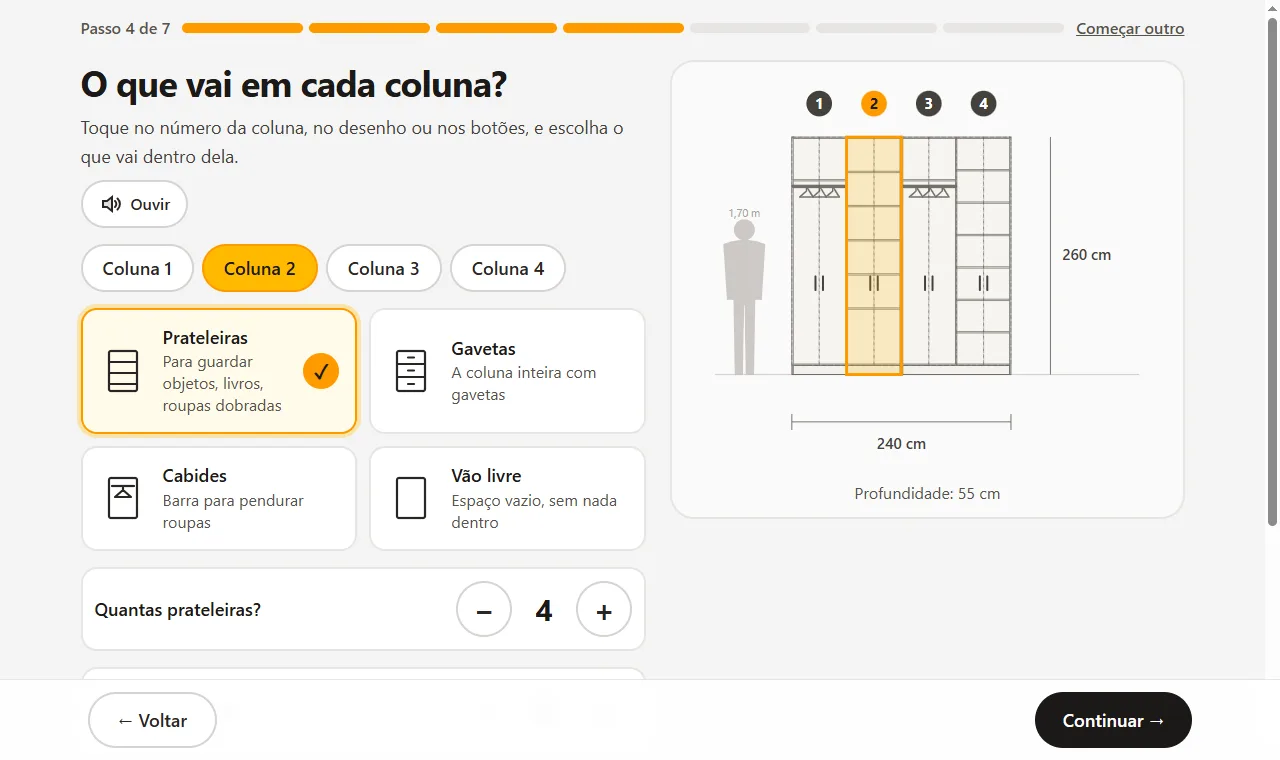
No drawing skills and no woodworking jargon. MobilePlan asks, you answer by tapping the pictures, and the furniture appears right away, ready to become a cutting plan, a quote or a design for sale.
How it works
Answer the Create from scratch questions or pick a wardrobe, kitchen, TV stand… and one of 34 ready-made modules, with your dimensions.
Doors, drawers, shelves, style, handles and colors from the catalog. The engine applies woodworking rules and warns you about anything that doesn't add up.
Download the cutting plan, CNC files and technical PDF, send the proposal to your client or sell the design in the Showroom.
Make money
What you design here isn't just for your shop. Sell the furniture, sell the design as many times as you like, or make custom signs and art.
For your client
A quote with your prices in seconds and a proposal the client approves on their phone. Less time quoting, more jobs closed.
Recurring income
Publish the design in the Showroom, with 3D to spin and the full build pack: PDF, cutting plan and CNC files, in Portuguese, English and Spanish. Every sale goes straight into your Mercado Pago account, and you keep 80%.
High value, little sheet
Signage, names, wall art and sculptures in MDF, with the CNC file ready. Pieces that sell well at fairs, in shops and on social media.
Simulation with 80% for you. The result depends on the design, the photos and the promotion.
Create the furniture, even step by step
Tap Sell in the Showroom: photos, text and price come ready
Connect your Mercado Pago (just once)
The design goes into the Showroom, in 3D: get paid for every sale
Showroom
Designs created by woodworkers and architects on MobilePlan. Spin the furniture in 3D, check the dimensions and buy the complete plans to build it yourself or take to your woodworker.
The first designs are on their way.
Create your furniture step by step, with simple questions, and be one of the first to sell in the Showroom.
Create and sell mineFeatures
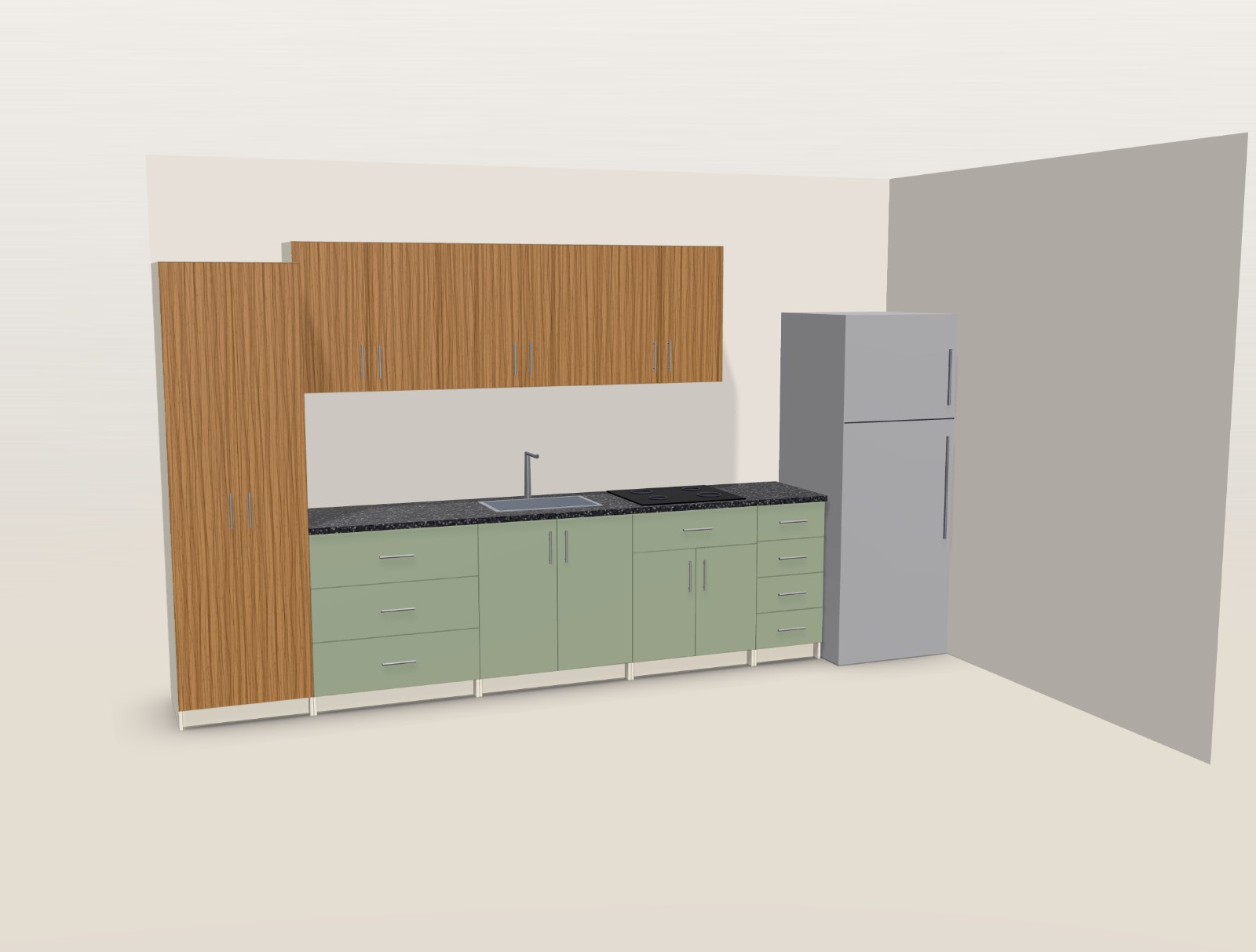
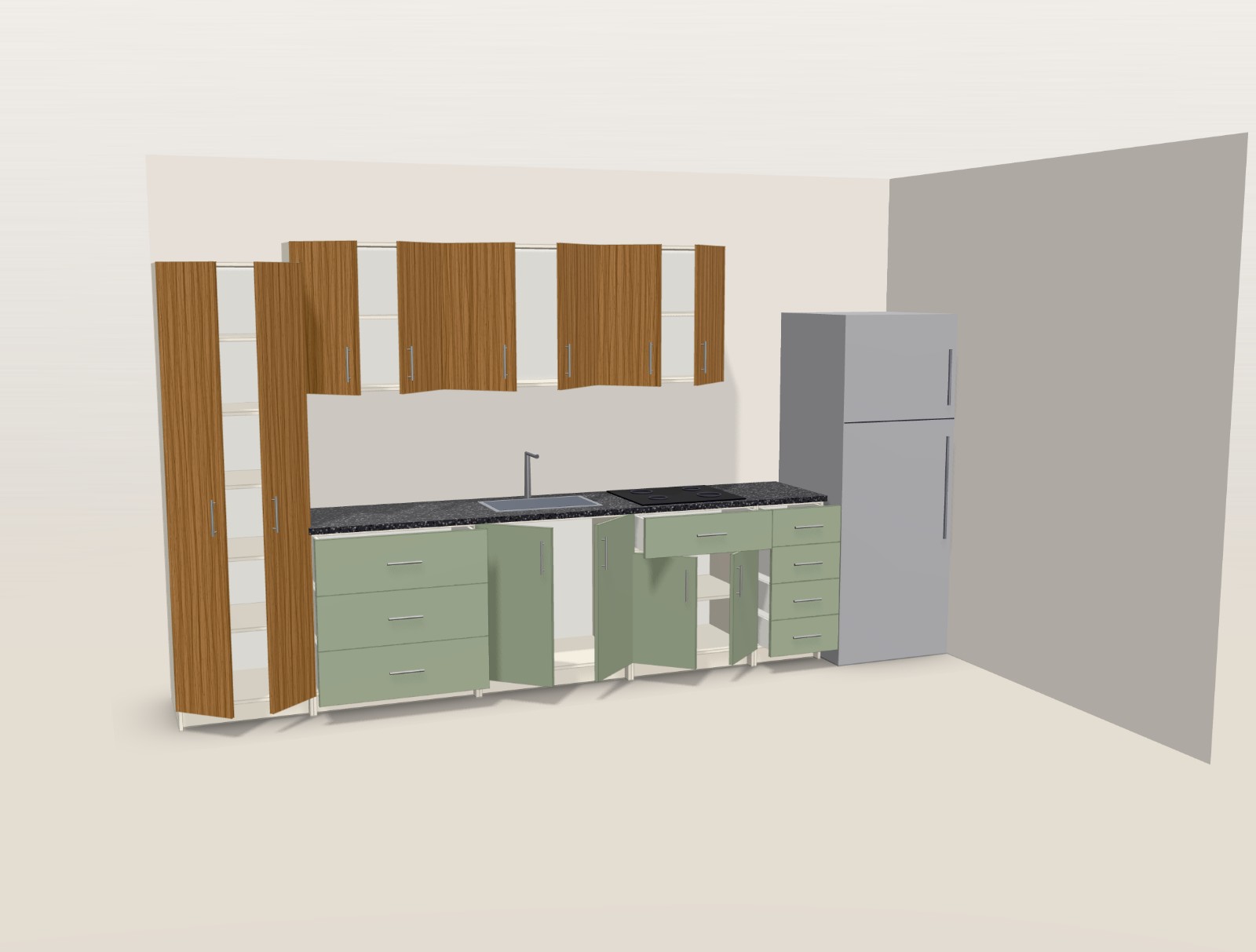
Doors and drawers open, parts separate, the section cut shows the inside. Right-click any part to change its color, measure it or see it in the list.
3D images, description, amount and validity. The acceptance is recorded.
Kitchen — Apt 302
Client: Ana and Rafael
For CNC or panel saw, with yield per sheet, grain direction and a label with each part's code.
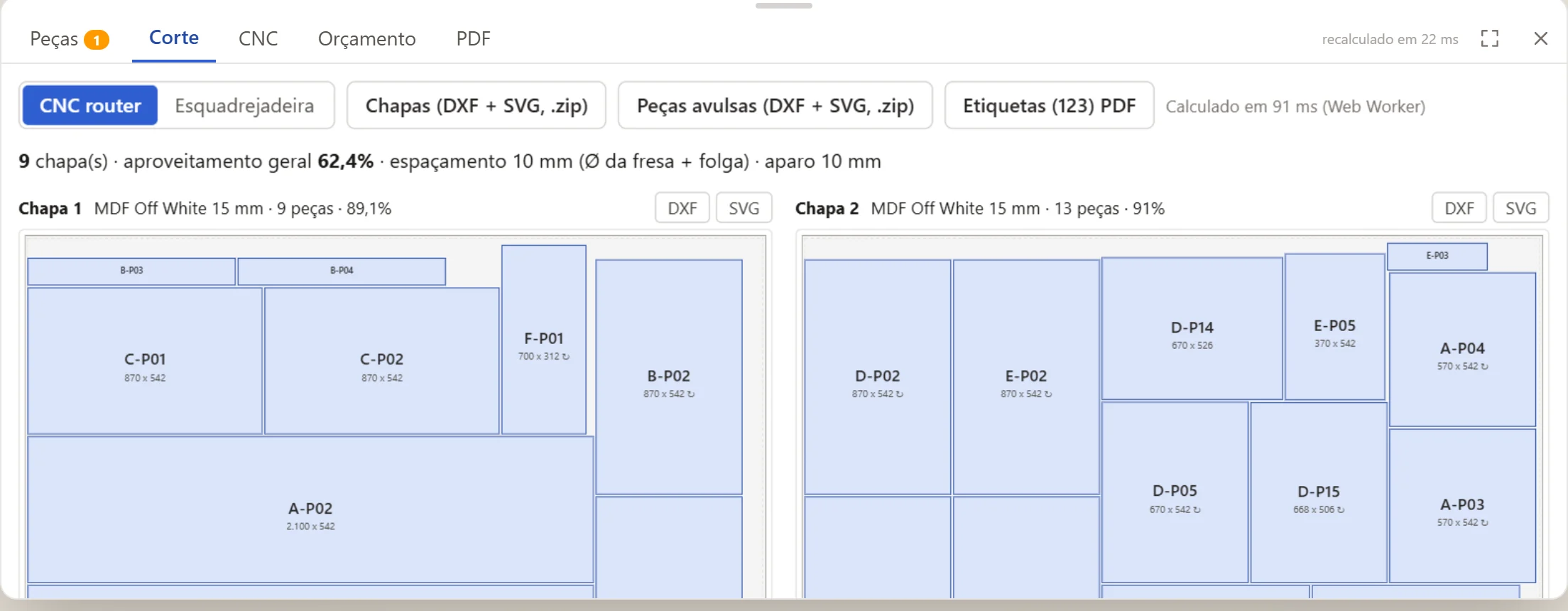
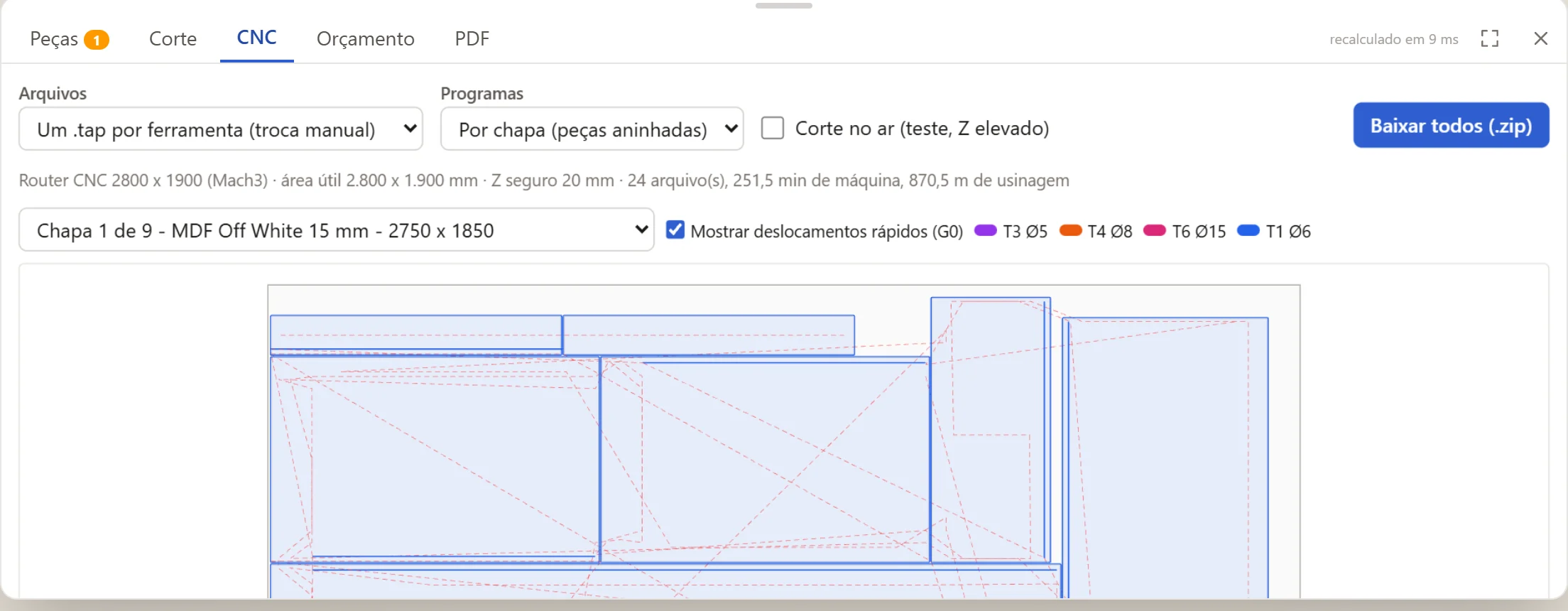
DXF and SVG for Vectric Aspire and .tap G-code for Mach3, with holes, slots, grooves and cutouts. The machining is checked before it goes out.
Enter your sheets, edge banding, hardware, hourly labor rate, margin and taxes. An internal version with costs and a client version as a PDF.
Slatted, fluted, Provençal fronts, with glass, cane or mirror — grooves and cutouts are machined on the CNC.
L- and U-shaped kitchens, blind corners, lift-up doors, continuous tops with sink and cooktop cutouts, filler strips, floor plan and installation PDF.
Projects, clients and settings saved in your account. Open them on the shop computer or on your phone at the client's house. Install it as an app.
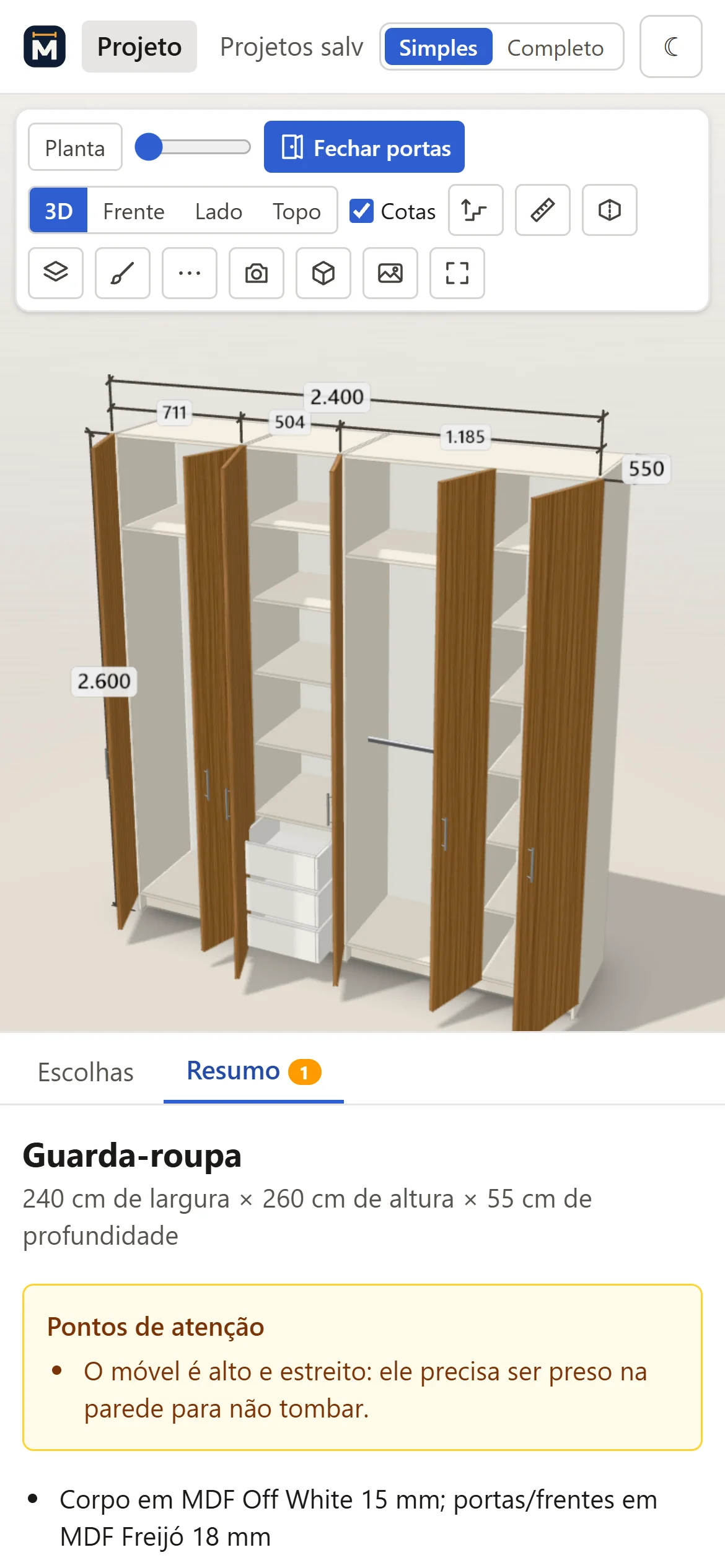
“A 2.40 m double wardrobe with 6 doors and 4 drawers” — and the project appears, ready to adjust.
Try it now, no sign-up
This is the MobilePlan engine running in your browser: the same rules that generate the cutting plan and the CNC in the app.
In the app you also get the 3D, the CNC, the labels, the technical PDF and the client proposal.
Create a free accountWho it's for
Both modes edit the same project. Switch with one click at the top of the app.
Full mode
Simple mode
Pricing
Start free, no card. Check the limits and plan availability in your account. Any purchase requires your explicit confirmation.
To plan your own furniture
R$ 0no card
For those who need more cloud space
One-time payment
No automatic renewal. Check the current price, duration and limits in Plans.
The paid offer will be released after 30 days' notice. Conditions in the Terms of Use.
FAQ
Yes. In Create from scratch the app asks one question at a time (what you want to create, the size, what goes inside, the doors and the color), with big letters and buttons and a button that reads the question out loud. The furniture drawing appears right away, next to a 5 ft 7 in (1.70 m) person so you get a sense of the size. MobilePlan takes care of the woodworking rules.
It's the showcase for furniture designs created on MobilePlan. Anyone can see the photos, spin the furniture in 3D and check the dimensions, no account needed. Buyers get the complete plans to build it (shopping list, cut list, cutting plan and CNC files) and can make it themselves or take it to a woodworker.
Create the furniture ("Create from scratch" does it step by step) and tap Sell in the Showroom: photos come from the 3D, text and price come ready, and the build pack (PDF, cutting plan and CNC files, in Portuguese, English and Spanish) is generated automatically. Connect your Mercado Pago account in My store. After review, the design goes into the Showroom for everyone to see in 3D and buy: every purchase goes straight into your account, with 80% for you.
No. MobilePlan runs in the browser on your computer, tablet or phone. If you prefer, install it as an app from “Install as an app” in the Menu: it opens in its own window, like a program.
MobilePlan generates DXF and SVG per sheet or per part, ready for Vectric Aspire, and .tap G-code for Mach3, with holes, slots, grooves and cutouts. Table size, tools and speeds are in Settings. No CNC? Use the cutting plan for a panel saw.
Yes. The app opens in Simple mode: you pick the furniture from pictures, type the dimensions in centimeters and choose colors, doors and drawers. Warnings appear in plain language, with an estimated price. Then just take the project to your woodworker.
Yes. In Settings you enter the MDF colors and thicknesses you use, edge banding, hardware, labor, margin and taxes. The quote counts sheets from the real cutting plan, not an area estimate.
Yes: several pieces of furniture in the same project, L- and U-shaped kitchens, corner modules, wall cabinets, a continuous stone top with sink and cooktop cutouts, filler strips and the room floor plan with windows, doors, water, gas and electrical points.
You generate a link with the 3D images, the project description, the amount and the validity. The client opens it on their phone and accepts online — without seeing your internal costs. You can also download the quote as a PDF.
The engine follows documented woodworking rules (clearances, edge banding, drilling, slides, hinges) and is tested automatically with every change — including with randomly generated furniture, to check that no part goes through another. When something doesn't add up, the warning appears before it goes to the machine.
In the cloud, in your account, accessible from any device. You can also download a copy of each project as a file and import it whenever you want.
You can start on the free plan, no card. Check the price, limits and availability of Pro on the Plans page. Purchase is explicit and there's no automatic renewal.
Create your account in less than a minute. Free during the beta, no card.
Start free